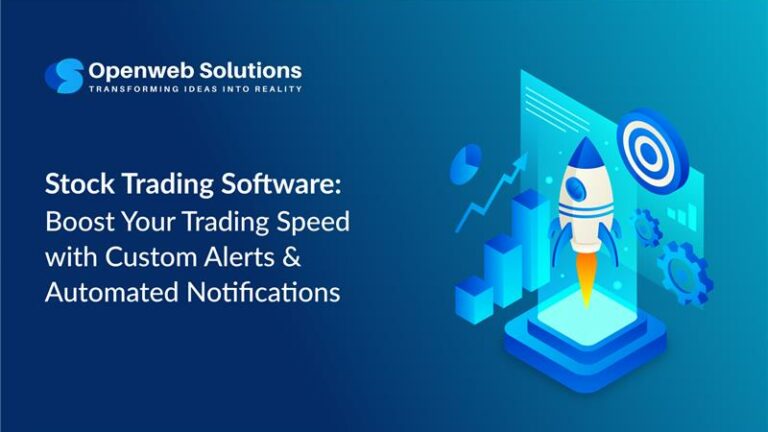
In the fast-evolving world of stock trading, where milliseconds can define profit or loss, traders need smarter and automated tools. Modern stock trading software, equities trading software, and advanced stock trade platforms are no longer limited to real-time charts and basic indicators. Intelligent custom alerts and automated notifications have become essential features that empower traders to respond instantly to market movements.
Whether it is a price breakout, volume spike, moving average crossover, or a breaking news event, timely alerts ensure traders never miss opportunities. This blog explores how custom alerts and automated notifications are transforming the trading experience in today’s markets.
Table of Contents
- Why Speed Matters
- Definition of Custom Alerts & Automated Notifications
- How Alerts Enhance High-Speed Trading
- Types of Custom Alerts Used
- The Role of AI and Automation in Alerts
- Benefits of for Traders, Investors & Brokers
- Integration of Alerts
- Build Powerful Stock Trading Software with Us
- Frequently Asked Questions
- Conclusion
Why Speed Matters in the Stock Trading Software Ecosystem?
Markets operate faster than ever due to algorithmic trading, high-frequency trading, and global market connectivity.
In today’s environment, speed of execution and reaction determines trading success.
- Price movements happen within seconds
- Opportunities disappear quickly in volatile markets
- Global economic events impact markets instantly
- Retail traders compete with institutional-grade stock market software
Traders need stock trading software that can think, monitor, and react on their behalf. This is where custom alerts and automated notifications play a decisive role.
Definition of Custom Alerts & Automated Notifications in Stock Trading Software
Custom alerts are user-defined triggers based on specific trading conditions.
- Price levels
- Volume changes
- Technical indicators
- News events
- Market sentiment signals
Automated notifications are system-driven messages delivered through push notifications, SMS, email, and desktop alerts. In advanced share market software, alerts can even trigger automated actions such as placing or modifying orders.
How Stock Trading Software Alerts Enhance High-Speed Trading
- Reduced screen dependency: Traders receive notifications exactly when strategy conditions are met.
- Instant risk response: Sudden volatility or price drops can be addressed immediately.
- Faster opportunity capture: Alerts enable immediate action on breakouts and volume surges.
A trader receiving a notification at a key resistance or support level gains a clear execution advantage.
Types of Custom Alerts Used in Stock Trading Software
Price Alerts
Triggered when a stock reaches a predefined price level.
Volume Alerts
Ideal for momentum traders identifying unusual activity.
News Alerts
Triggered by earnings announcements, corporate actions, or global financial events.
Risk & Margin Alerts
Notifications for stop-loss breaches or margin shortfalls.
Algorithmic Strategy Alerts
Generated by automated strategies using complex rule sets.
The Role of AI and Automation in Stock Market Software Alerts
Artificial intelligence is redefining how alerts are generated and delivered.
Using machine learning, modern stock market software can predict breakouts, detect trend reversals, and analyze market sentiment.
Smart automation ensures alerts remain relevant, minimize false signals, and identify patterns early.
Benefits for Traders, Investors & Brokers
For Traders
- Faster execution
- Reduced emotional stress
- Improved trade timing
For Investors
- Portfolio health monitoring
- Risk minimization
- Timely rebalancing
For Brokers
- Improved client engagement
- Efficient trading operations
Integration of Alerts
Modern stock trading apps integrate alerts across real-time data feeds, scanners, algorithmic engines, and portfolio dashboards. Advanced share market software synchronizes alerts across devices for uninterrupted trading.
Build Powerful Stock Trading Software with Us
Looking to develop or upgrade your stock trading software with intelligent alerting features?
We build scalable, high-performance stock market software and equities trading software tailored to modern trading needs.
Frequently Asked Questions
Q1. Why are custom alerts important in stock trading?
Ans: They help traders respond instantly to price movements, reduce risk, and capture opportunities without constant monitoring.
Q2. Do automated notifications work in real time?
Ans: Yes, alerts are delivered instantly via push notifications, SMS, or email.
Q3. Are alerts available on mobile stock trading apps?
Ans: Yes, most advanced stock trading apps support synchronized alerts across devices.
Q4. Can AI improve trading alerts?
Ans: AI improves accuracy, reduces noise, and predicts market movements.
Conclusion
In the era of high-speed trading, custom alerts and automated notifications are no longer optional.
Whether you are a trader, investor, or broking firm, integrating intelligent alerts into your stock trading software built on advanced
stock market software capabilities can significantly improve performance, scalability, and long-term outcomes.
Thank you for reading.

Partha Ghosh is the Digital Marketing Strategist and Team Lead at PiTangent Analytics and Technology Solutions. He partners with product and sales to grow organic demand and brand trust. A 3X Salesforce certified Marketing Cloud Administrator and Pardot Specialist, Partha is an automation expert who turns strategy into simple repeatable programs. His focus areas include thought leadership, team management, branding, project management, and data-driven marketing. For strategic discussions on go-to-market, automation at scale, and organic growth, connect with Partha on LinkedIn.