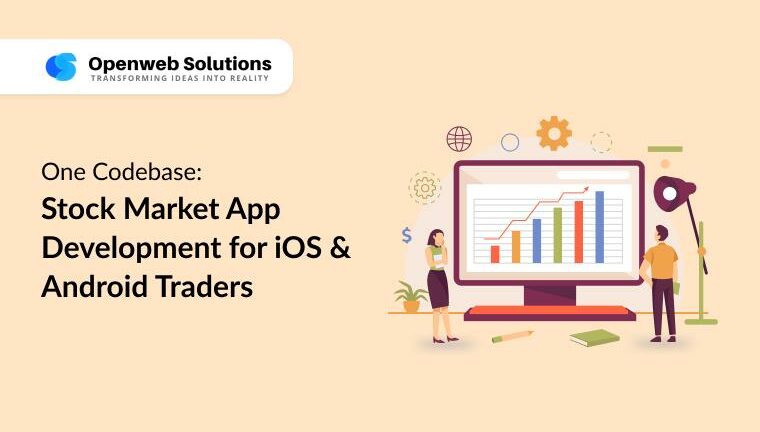
Mobile has become the primary trading screen. If a trader can’t log in, scan a watchlist, and place an order within seconds, they will move on. That’s why stock market app development is no longer an auxiliary project—it’s the heart of the product for brokers, fintech founders, CTOs, and financial advisors. A single, shared codebase that compiles to native-quality apps on iOS and Android helps you ship faster, keep features in sync, and maintain bank-grade security without doubling effort. This article shows how to make that strategy work in the real world: what to build, where teams stumble, and how to deliver a dependable experience that earns trust on the busiest trading days.
TL;DR: Build once, ship everywhere, keep parity—and turn speed, security, and clarity into a competitive edge.
Why One Codebase Matters for Stock Market App Development
One codebase aligns product, design, and engineering on a single rhythm. Feature parity becomes the default, not a scramble. Traders keep the same gestures, order tickets, and chart tools across devices, which reduces relearning and support tickets. A shared logic layer puts authentication, encryption, order validation, and risk checks in one place, so a fix or improvement benefits all users simultaneously. Analytics and experimentation get cleaner when the same events fire on both platforms; you can finally compare funnels, retention, and feature adoption without confounding variables. Total cost of ownership drops because teams stop rewriting the same components twice and redirect energy to what traders can feel: snappier charts, smarter alerts, and stronger reliability. For leadership, the message is simple: build once, learn faster, and reinvest savings into differentiation.
Core Features Traders Expect in a Mobile Trading App
Real-Time Data & Order Flow in Stock Market App Development
Milliseconds change outcomes, so streaming quotes and order updates should use WebSockets with a graceful HTTP/2 fallback. An optimistic interface makes interactions feel instant while servers confirm actions. Coalesce rapid updates and throttle redraws so mid-range phones remain fluid at the opening bell. Entitlement checks near the edge keep noisy clients from overwhelming the system and preserve fairness in volatile sessions. Inside the trading ticket, surface estimated fees, available buying power, and risk flags clearly so traders understand impact before they tap “Submit.”
Charts, Indicators & Screeners
Charts are the cockpit. Offer fast candlesticks and common indicators such as RSI, MACD, and EMAs, plus drawing tools for trendlines and zones. Pre-cache popular timeframes and the last viewed range so panning never stutters between 1-minute and daily views. Screeners should speak trader language—“52-week breakout,” “price above 200 EMA,” “relative volume spike”—and connect directly to tickets to shorten the path from signal to action.
Portfolio Clarity & Funding Flows
Trust grows with clarity. Show positions with average price, fees, day change, and both realized and unrealized P&L. Break out margin usage and risk so users understand limits at a glance. For funding, support compliant bank, card, and wallet rails where allowed; keep steps auditable, reversible, and predictable. Provide crisp error recovery for failed deposits or withdrawals to reduce friction and support load.
Security by Design in Stock Market App Development
Security cannot be bolted on. Enforce two-factor authentication by default, bind sessions to device, and keep secrets in the platform vaults (keychain/keystore). Use short-lived tokens with narrow scopes for sensitive endpoints like order placement and withdrawals. Encrypt data at rest and in transit, log access with trace IDs, and maintain immutable audit trails. Step-up authentication for risky actions (changing bank details, enabling margin) protects users without slowing everyday flows.
Resilience & Incident Response in Stock Market App Development
Markets stress systems. Cache last known quotes, watchlists, and charts locally so the app degrades gracefully on poor networks. Label stale data clearly and resync automatically on reconnect. Add idempotency to order placement to prevent accidental duplicates. Build kill switches for questionable ticks and show in-app status banners during provider incidents; transparent communication preserves confidence when things get noisy.
Cross-Platform Advantages for iOS & Android Traders
Delivering the same experience to both ecosystems compounds into business benefits. Speed to market improves because you ship new order types, research widgets, or onboarding optimizations to iOS and Android on the same day. Experiments become reliable: identical event schemas and journeys produce clean insights across devices. A tokenized design system keeps branding and component behavior consistent on phones, tablets, and foldables, while still respecting each platform’s conventions. Audits and certifications become simpler because reviewers see one coherent flow for KYC, disclosures, and risk acknowledgments rather than two divergent stacks. For traders, consistency reduces cognitive load in the heat of the moment; for teams, it means fewer regressions and more time to build genuinely useful features.
Challenges in Stock Market App Development
Security & Privacy
Start with a threat model that lists assets (PII, balances), entry points (APIs, push), and likely attackers. Minimize data collection, especially on device. Use device binding, step-up authentication for sensitive actions, and continuous monitoring for anomalous behavior. Schedule regular penetration tests targeting auth flows and transactional endpoints, and keep a rapid patch process for dependencies.
Latency & Scalability
Decouple market-data ingestion from delivery so bursts don’t freeze the UI. Apply backpressure to clients, batch updates, and prefer incremental deltas over full payloads. Use regional edge fan-out to shorten last-mile latency. Track time-to-first-quote and order acknowledgment as primary service-level objectives and halt rollouts if they slip.
Vendor & Broker Variability
Every data vendor and broker API differs in throttles, fields, and entitlements. Abstract with adapters so you can swap feeds, split by asset class, or run active/active configurations without rewriting the app. Keep generous observability around adapters; most mysterious glitches originate at integration edges.
Regulatory Compliance
Bake compliance into flows rather than adding pop-ups later. Embed KYC, AML checks, audit trails, and risk disclosures in onboarding and feature unlocks (e.g., options, margin). Log user consents with versioned disclosure text and timestamps. Provide downloadable account statements and exportable activity logs to reduce service tickets and satisfy auditors.
Performance Perception
Perception is reality on mobile. Measure cold start, frame time, memory, and battery impact on average devices, not just flagships. Keep animations subtle and predictable. Defer non-critical work off the main thread and pre-render critical paths like the trading ticket and watchlist.
How to Build a Reliable Trading App
Architecture Choices
Flutter, React Native, and Kotlin Multiplatform can all succeed. The more important choice is structure: keep a shared domain core for pricing, validation, order flow, and risk checks; add thin platform bridges for biometrics, notifications, and OS-specific policies. This preserves the benefits of one codebase while maintaining native feel.
Data Layer & Low-Latency Patterns in Stock Market App Development
Use a WebSocket-first client for quotes and order updates and HTTP for metadata. Normalize data and cache locally in a store that can reconcile on focus/resume. Coalesce bursts to limit re-renders during volatile windows. Tag each stream with entitlements and throttle abusive patterns automatically.
Design System & Accessibility
Create a design system with tokens for spacing, typography, elevation, and motion; implement components once and reuse everywhere. Support dynamic type, strong contrast, and clear labels for VoiceOver and TalkBack. Accessibility often reads as “clean design” to power users and lowers support costs for everyone.
Testing, Releases & Observability in Stock Market App Development
Use contract tests for data and broker APIs, deterministic simulators for gaps and halts, and device-farm runs to catch performance regressions. Guard releases with feature flags and staged rollouts (5% → 25% → 100%), gated by SLOs like crash-free sessions, quote latency, and order success. Instrument everything—onboarding drop-offs, P&L screen usage, alert engagement—and keep an in-app status page that shows current system health.
Why One Codebase Is Good Business
A unified approach isn’t only an engineering preference; it is a growth strategy. Activation rises when every new user finds the same features on their phone of choice. Churn falls because workflows remain consistent when users upgrade or switch devices. Product velocity increases because teams prototype once, test once, and ship everywhere. Audits move faster with a single logic trail for sensitive operations. Most importantly, budget shifts away from duplicate builds and into experimentation that traders can feel—better research tools, richer analytics, and more relevant alerts. For brand positioning, consistency across platforms quietly communicates reliability, a trait that matters more than ever in financial products.
Rollout Plan for iOS/Android trading app development
-
Define trader jobs to be done—monitor, analyze, execute, and review—and map features directly to those jobs.
-
Select the cross-platform stack that matches your team’s skills and the libraries you’ll need for charts, cryptography, and accessibility.
-
Model a shared domain core for orders, positions, market data, and risk checks; enforce strong unit tests here.
-
Design authentication and authorization early: device binding, session lifetimes, token scopes, and secure storage.
-
Integrate market-data and broker systems through adapter layers to future-proof vendor changes.
-
Perfect the MVP flow: onboard, fund, create a watchlist, place a market or limit order, confirm, and view P&L.
-
Add resilience features: offline caches, retry policies, idempotency, and circuit breakers for bad ticks.
-
Build observability: structured logs, tracing, and dashboards for time-to-first-quote, order latency, and crash-free rate.
-
Ship behind feature flags, roll out in stages, and pin rollbacks to SLO guardrails.
-
Close the loop with traders using in-app surveys and behavior analytics; prioritize outcomes over opinions.
Conclusion – One Codebase, Two Platforms, One Trusted Experience
Traders judge your platform during volatility, not on a calm afternoon. A single, disciplined codebase lets you deliver the same speed, clarity, and security on every device while your team ships faster and safer. If you’re ready to turn this blueprint into a compliant, production-grade product, explore how a specialist partner can help you execute. For a capabilities overview and next steps, see how our team approaches iOS/Android trading app development.
Frequently Asked Questions
Q1. Which stack is best for a one-codebase trading app?
Ans: Choose the option your team can ship and maintain confidently. Flutter, React Native, and Kotlin Multiplatform are all viable. Focus on a shared domain core for pricing, order logic, and risk checks, and use slim native bridges for biometrics, notifications, and platform policies.
Q2. How do we keep quote latency low on mobile networks?
Ans: Stream quotes and order updates over WebSockets, compress payloads, coalesce bursts, and cache recent candles locally. Profile on mid-range Androids and older iPhones; performance on average devices defines perceived speed.
Q3. What does strong security look like in stock market app development?
Ans: Enforce two-factor authentication, device binding, and short-lived tokens with narrow scopes. Store secrets in platform vaults, encrypt data at rest and in transit, and log sensitive actions with trace IDs. Schedule regular penetration tests and dependency updates.
Q4. How much does it typically cost to build a trading app?
Ans: Costs vary with scope (assets, order types), compliance burden, vendor fees, and quality thresholds. A shared codebase reduces duplicate engineering and testing, improves time to market, and helps budget flow into features that directly impact trader outcomes.
Q5. Can we migrate two native apps into one shared codebase without disruption?
Ans: Yes. Start by extracting a shared domain layer (orders, positions, risk). Rebuild modules—watchlists, charts, tickets—behind feature flags. Run both versions in parallel with staged rollouts to protect uptime and user trust.
Q6. How do we maintain parity across platforms after launch?
Ans: Keep a single backlog and definition of done for both platforms, release in lockstep with staged rollouts, and standardize analytics events. Track SLOs like crash-free rate, time-to-first-quote, and order acknowledgment, and halt rollouts if they regress.

Partha Ghosh is the Digital Marketing Strategist and Team Lead at PiTangent Analytics and Technology Solutions. He partners with product and sales to grow organic demand and brand trust. A 3X Salesforce certified Marketing Cloud Administrator and Pardot Specialist, Partha is an automation expert who turns strategy into simple repeatable programs. His focus areas include thought leadership, team management, branding, project management, and data-driven marketing. For strategic discussions on go-to-market, automation at scale, and organic growth, connect with Partha on LinkedIn.